

One-tap FCC
Switch your controller from CE to FCC in seconds, and back again whenever you like.
 Works with RC · RC 2 · RC Pro 2
In Europe your DJI controller runs in CE mode, with lower transmit power and fewer channels. SCTech is a clean, modern app that switches it to FCC mode, keeps it there, and comes with personal video setup support.

No menus to dig through. Connect, switch to FCC, then fly with DJI Fly as usual.
Switch your controller from CE to FCC in seconds, and back again whenever you like.
FCC is applied automatically every time the controller starts. Nothing to remember before a flight.
Keepalive stops the controller from dropping back to CE while DJI Fly is open.
Turn your drone's arm lights on or off with one tap. Handy for night shots and reflections.
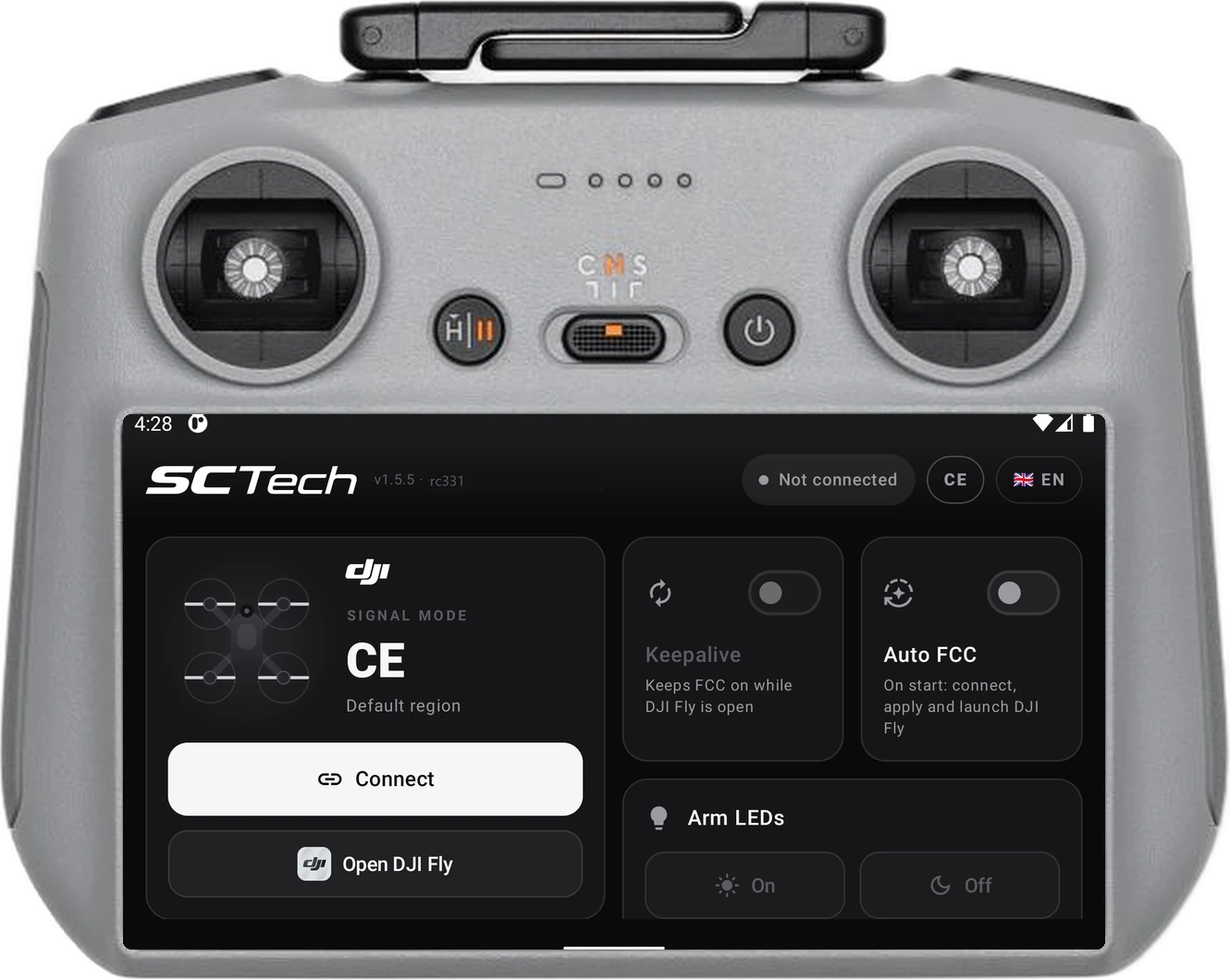
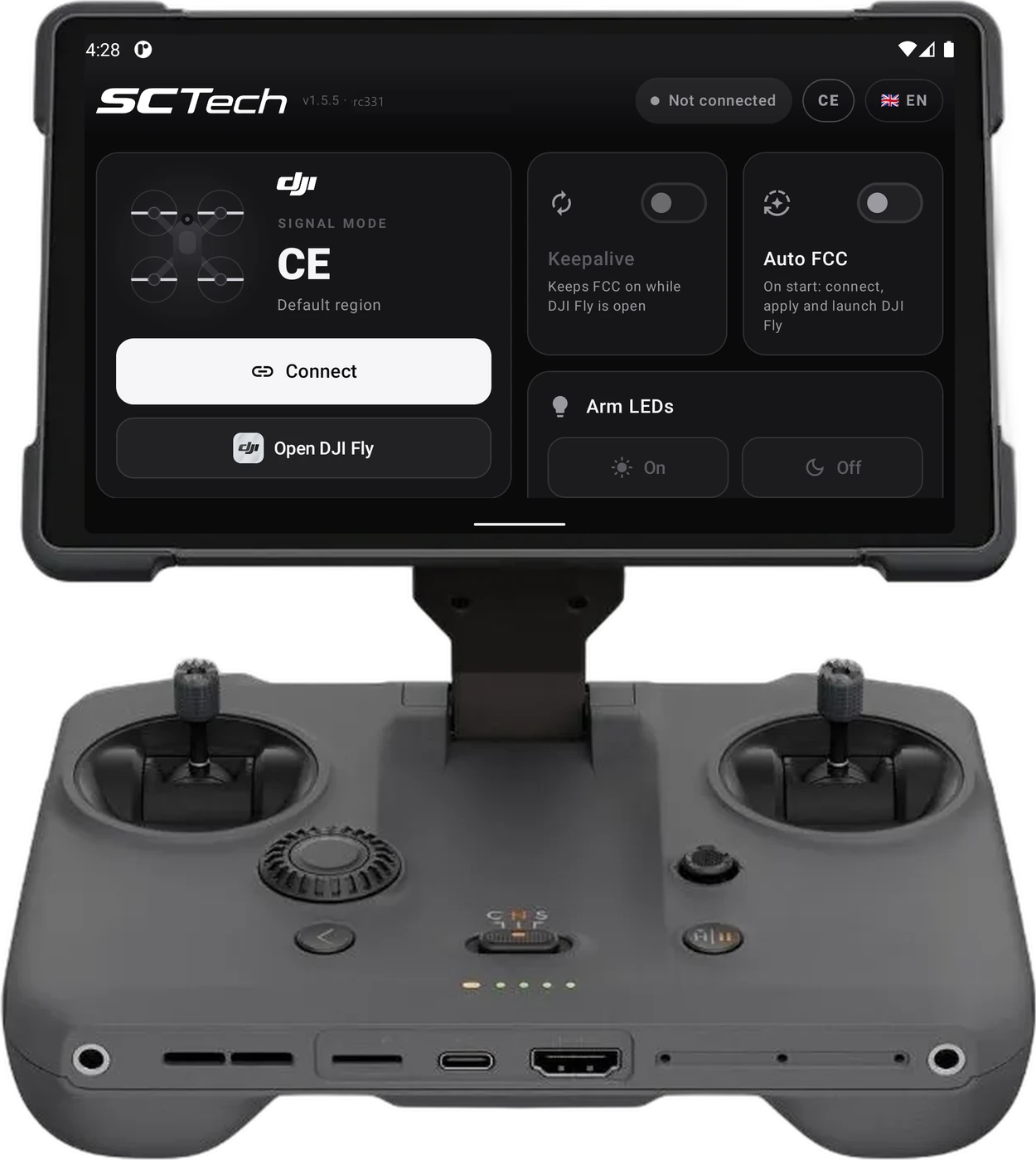
A modern interface that matches DJI Fly. Every setting on a single screen, no scrolling.
New versions install from inside the app with one tap, at no extra cost.
Enable the 4G link on supported drones fitted with a DJI Cellular Dongle 2.
Doesn't heat up the controller or spin up the fan. Your battery goes into flying.
Built for DJI controller screens. Connection, FCC, Auto FCC, arm lights and 4G, all on one screen.
Install it yourself in about 5 minutes, or book a free video call and we'll do it together.
Pay securely at checkout by card or PayPal. VAT for your country is included.
Your licence key and a private download link arrive by email within minutes.
Copy the files to an SD card and install them on the controller. About 5 minutes. Installation guide →
Enter the key once over Wi-Fi. After that SCTech works offline and FCC is ready.
SCTech runs on DJI screen controllers. The FCC profile is universal, so other drones that pair with an RC 2 are expected to work too.
| Drone | Controller | FCC | Arm LEDs |
|---|---|---|---|
| DJI Mini 5 Pro | DJI RC 2 | Supported | Supported |
| DJI Mini 4 Pro | DJI RC 2 | Supported | Supported |
| DJI Air 3S | DJI RC 2 | Supported | Supported |
| DJI Neo / Neo 2 | DJI RC 2 | Supported | Supported |
| DJI Avata 360 | DJI RC 2 | Supported | Supported |
| DJI Mavic 4 Pro | DJI RC Pro 2 | Supported | Supported |
| Drones paired with DJI RC | DJI RC (1st gen) | Supported | Supported |
RC-N1 / RC-N2 / RC-N3 controllers without a screen are not supported. Not sure about your model? Email us before you buy.
Buy it once and use it on your controller for life.
Order by email and we'll reply with a secure payment link. We never see your card details.
DJI controllers detect where they are and choose a radio profile. Across the EU and UK that is CE, which caps transmit power. The FCC profile used in the US allows higher power and more channels. DJI FCC mode makes your controller run on the FCC profile.
With more transmit power the link holds up better at distance and through interference: fewer frozen frames and later signal warnings. DJI's own spec sheets list a longer FCC range for every model. Real-world gains depend on the environment, so we don't promise a fixed number.
SCTech works on DJI RC, DJI RC 2 and DJI RC Pro 2 controllers paired with drones such as the Mini 4 Pro, Mini 5 Pro, Air 3S, Neo, Avata 360 and Mavic 4 Pro. Switch back to CE whenever you want.
Read more: DJI CE to FCC: how to switch · How to enable FCC mode on DJI RC 2 · DJI range extension · Mini 4 Pro FCC · Mini 5 Pro FCC · Air 3S FCC
DJI controllers pick a radio profile based on where they are. In the EU and UK that is CE, which uses lower transmit power. FCC is the profile DJI uses in the United States: higher transmit power and more channels, which usually means a stronger, more stable video link.
It depends on the environment, interference and drone model, so we don't promise a fixed distance. Most pilots notice a more stable link and fewer signal warnings at the same distance.
FCC mode may not comply with local radio regulations in your country; you are responsible for its use. Check the rules where you fly before switching. You can return to CE mode at any time with one tap.
Yes, you can switch back to CE with one tap at any time. SCTech doesn't modify the controller's firmware; it only changes the radio profile.
DJI RC (1st gen), DJI RC 2 and DJI RC Pro 2 screen controllers. RC-N series controllers without a screen are not supported.
4G activation works on drones that accept the DJI Cellular Dongle 2 (for example Mavic 4 Pro, Matrice 350 and Inspire 3) and needs the dongle fitted to the aircraft. Mini series drones have no 4G module, so it isn't available there.
Each licence is tied to one controller. If you replace or factory-reset your controller, email us and we'll move your licence to the new one.
Only once, to activate your licence over Wi-Fi. After that SCTech works fully offline in the field.
Yes. Installation takes about 5 minutes with an SD card and the steps are in the installation guide. If you prefer, email us and we'll walk you through it on a video call.
Yes. When a new version is out, the app tells you on launch and updates with one tap.
SCTech doesn't modify the drone's or controller's firmware and makes no permanent change; it switches the controller's radio profile, and you can return to CE at any time. DJI's own warranty policy applies.
Yes, if your licence key hasn't been activated yet, within 14 days of purchase. See the Refund Policy for details.
Prefer to be guided? We'll set SCTech up with you on a video call, free with every licence.